What Kanonik does
Kanonik is security compliance software. Each person on your team works in the AI assistant they already use, and nothing their AI drafts counts until Kanonik has checked it and the person responsible has approved it.
This page starts with the Record, because everything rests on it, then goes through each job.
The Record, then what you do with it
The Record
This is where your approved security work lives. It starts from a baseline, grades every draft, sends weak ones back, and takes only what a named person approves.
- Baseline
- Graded
- Sent back
- Accepted
- Second approver
Use cases
What you do with it, one job at a time: prove your program to a customer, an auditor or your own board, and keep it current.
- Frameworks
- Evidence
- Your auditor
- Audit package
- Questionnaires
- Foresight
- Ask your record
- Policy changes
- Registers
- Proof Snapshot
- Your team
Start here
The Record
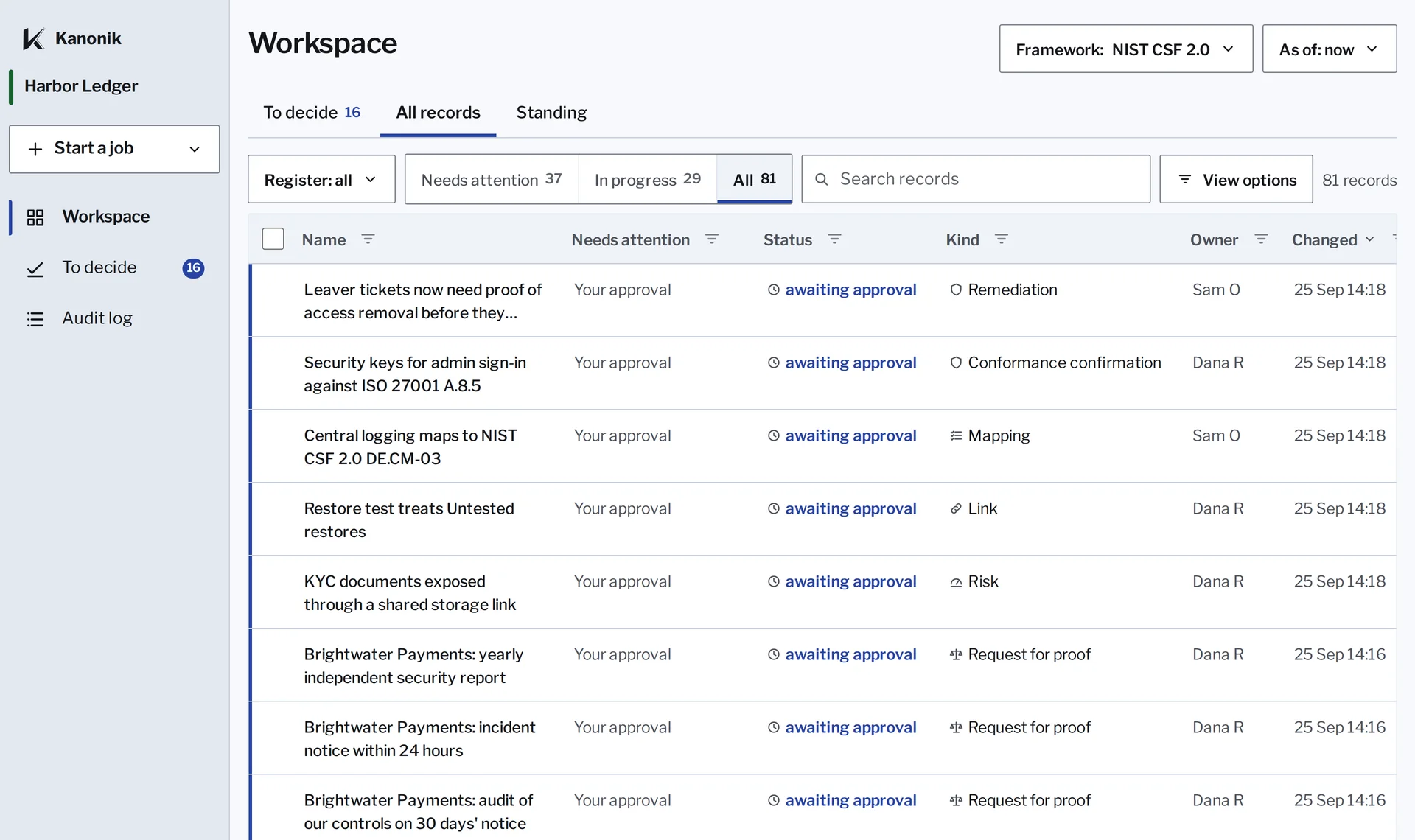
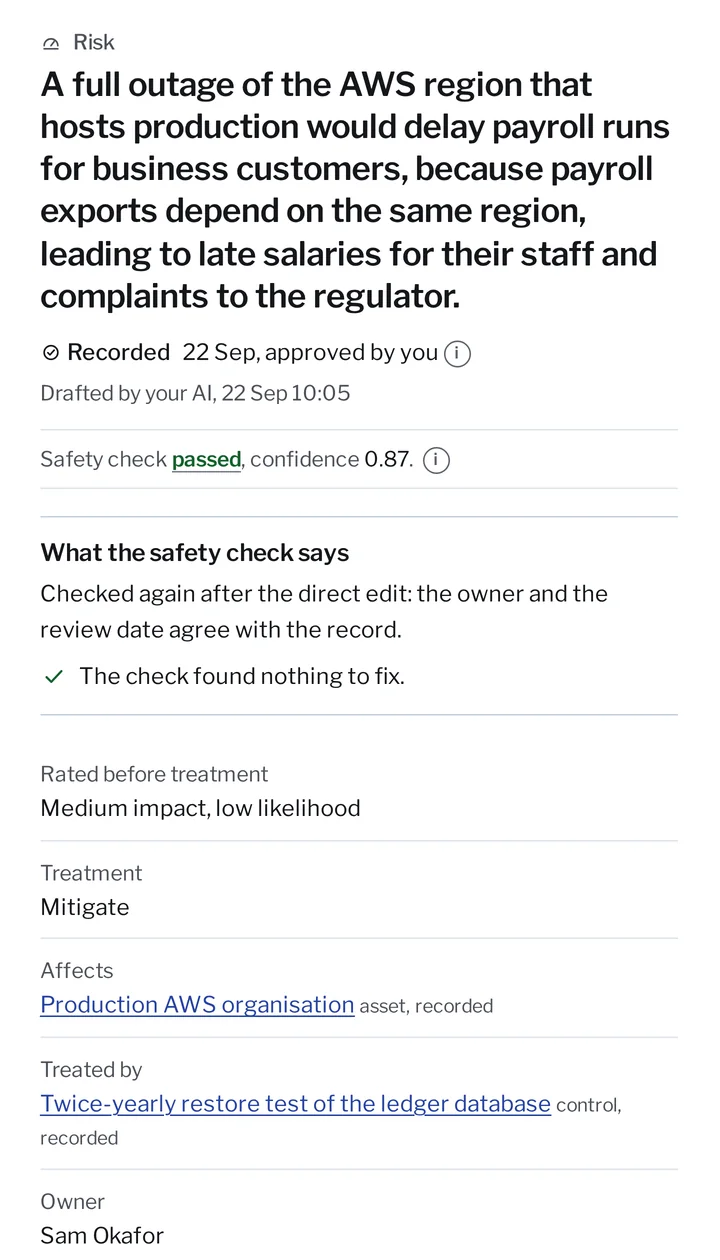
The Record is where your approved security work lives: policies, controls, procedures, risks, assets, vendors, evidence, decisions, exceptions, test results, audit work and every answer you’ve given a customer.
Each entry has an owner, a date, a source and a named approver, and nobody can change it later without the change showing. That’s why you can hand it to a buyer or an auditor, and why every job below runs on it.
Try it yourself: skip the approval
Any record opens with its owner, its links and what it was checked against.
How work gets into the Record
Your AI
Start with your security baseline
Connect your AI, and it drafts your baseline policies, controls, procedures, risks, assets, vendors and evidence from your own systems, using access it already has. It also finds what your Record is missing. Already have a program? Bring in what you have.
The Verifier
Checked and scored
The Verifier, Kanonik’s checker, reviews each draft against the requirements it should meet and gives a verdict, a score and its reasons. Weak drafts go back to your AI before anyone reads them, and uncertain ones are marked for a careful read, so your hours go on judgment calls.
You
Sent back until it’s right
You get one link for a whole batch and work through it like an inbox. Send a draft back with a note in your own words, and your AI revises it, and it comes round again, checked again.
You
Accepted by a named person
You approve in Kanonik itself, signed in as yourself. An approval typed into a chat doesn’t count, because anyone at the keyboard could have typed it, and so could the AI. Accept stays off until you confirm you’ve read the item and the Verifier’s findings, and that confirmation is kept with your decision.
A second person
Approved by a second person, once you have one
Once someone else can approve, policies and controls wait for a second person, while evidence and vendor entries can be approved by whoever drafted them. Working alone, you tick a second box saying so, and the Record keeps that as a named exception your auditor will see.
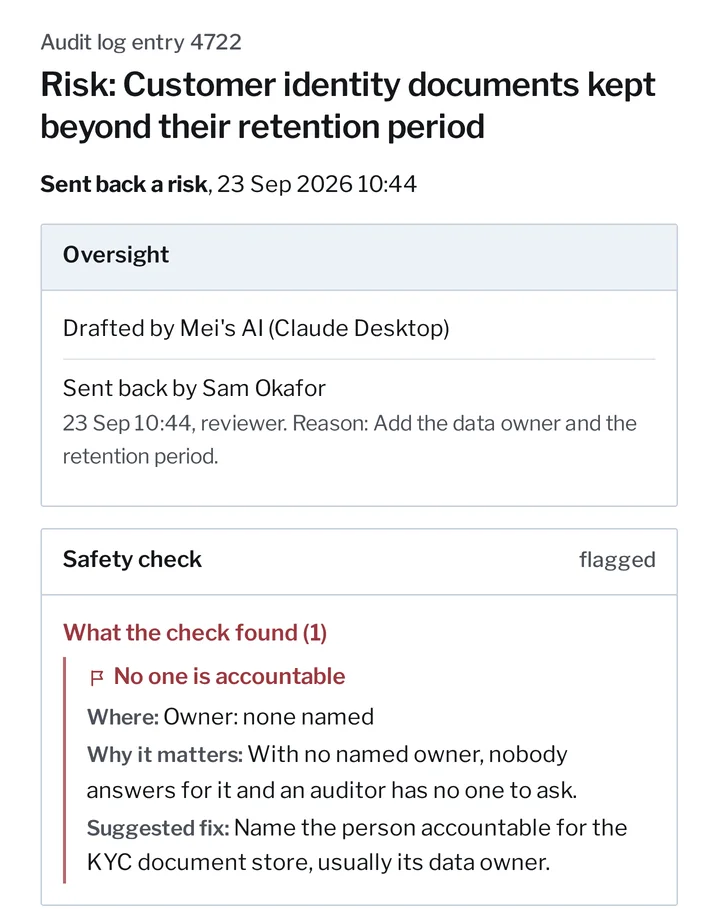
Kanonik, with sample data from Harbor Ledger.
What you can do
Use cases
Each job below starts from what your team has already approved.
Frameworks: do each piece of work once
A control counts toward every framework you confirm it meets. Standing, your live view of each framework, marks every requirement covered, partly covered, open or not assessed. Turn on SOC 2 and your AI drafts the program from what it found, and ISO 27001 or HIPAA runs the same way.
- SOC 2 TSC 2017
- ISO/IEC 27001 2022
- HIPAA 2013
- GDPR 2016/679
- NIST CSF 2.0
- NIST SP 800-53 Rev. 5
- NIST SP 800-171 Rev. 2
- NIST SP 800-171 Rev. 3
- FedRAMP Rev. 5 baselines
- GovRAMP Rev. 5 baselines
- CCPA/CPRA 2026
- DORA 2022/2554
- NIS2 2022/2555
- NYDFS Part 500 2023
- EU AI Act 2024/1689
- NIST AI RMF 1.0
- NIST SSDF 1.1
The library holds 17 frameworks, and more are added every week.
Evidence collection
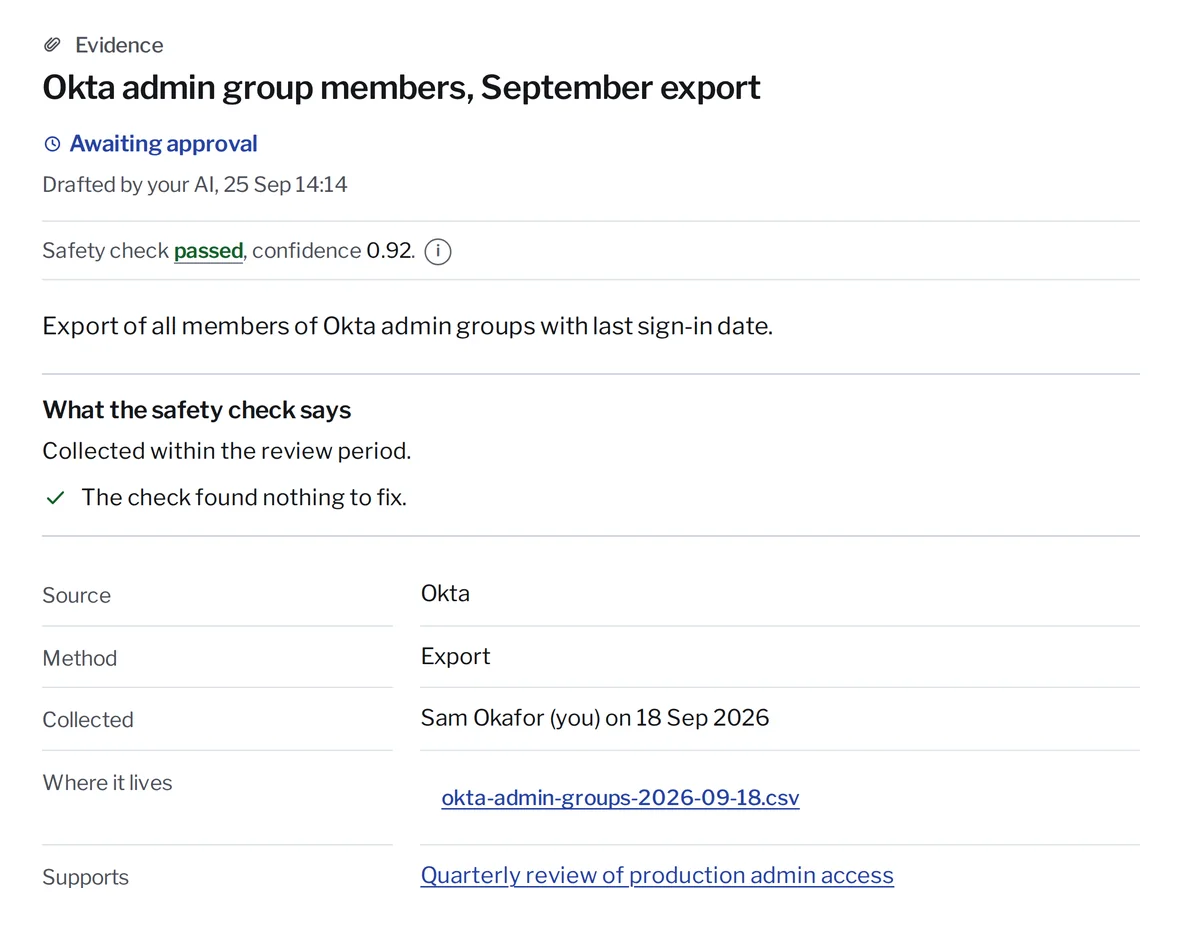
Your AI collects evidence from your systems and files it against the control it supports. Once it’s approved, Kanonik records what it shows, where it came from, when it was collected and a fingerprint of the file. The file can stay where it is, and if anyone swaps it later, the fingerprint won’t match.
The export comes back to the engineer who asked for it, with where the file lives.
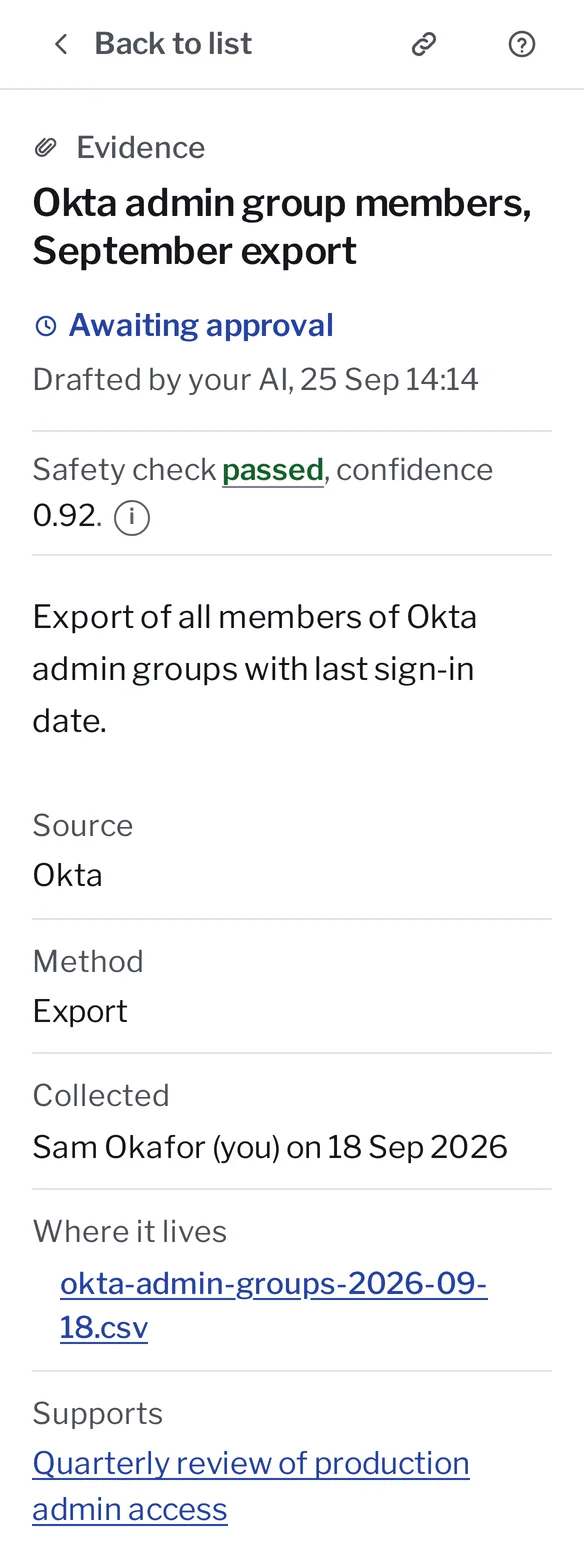
Your auditor and their feedback
On Audit-Ready and Enterprise, your auditor gets a free read-only seat that ends on the day you pick. They can read who approved what, but can’t propose or approve anything. Every entry carries two dates, when it took effect and when it was recorded, so you can answer what was in place on 30 June and what the Record said that day. No money passes between Kanonik and audit firms, so your auditor has no reason to care which tool you picked.
Sealed Audit Package
The Sealed Audit Package is the auditor’s file, with the audited period, every decision and its approver, and every piece of evidence with its date and source. Start it from the Audit log when fieldwork begins, and your auditor checks it offline, on their own computer.
Security questionnaires
Paste the buyer’s questionnaire into your AI. Every answer comes from approved records with its source, and each one is marked from the Record, stated by the company, or open. You approve the whole set once. The download comes in the buyer’s format, with NDA material held back and a proof file for each answer. Whoever starts a questionnaire approves it. If the policy behind a saved answer changes later, the answer gets flagged. Answer as many as you get.
Answering a questionnaire, step by step
Try it yourself: the questionnaire workbook
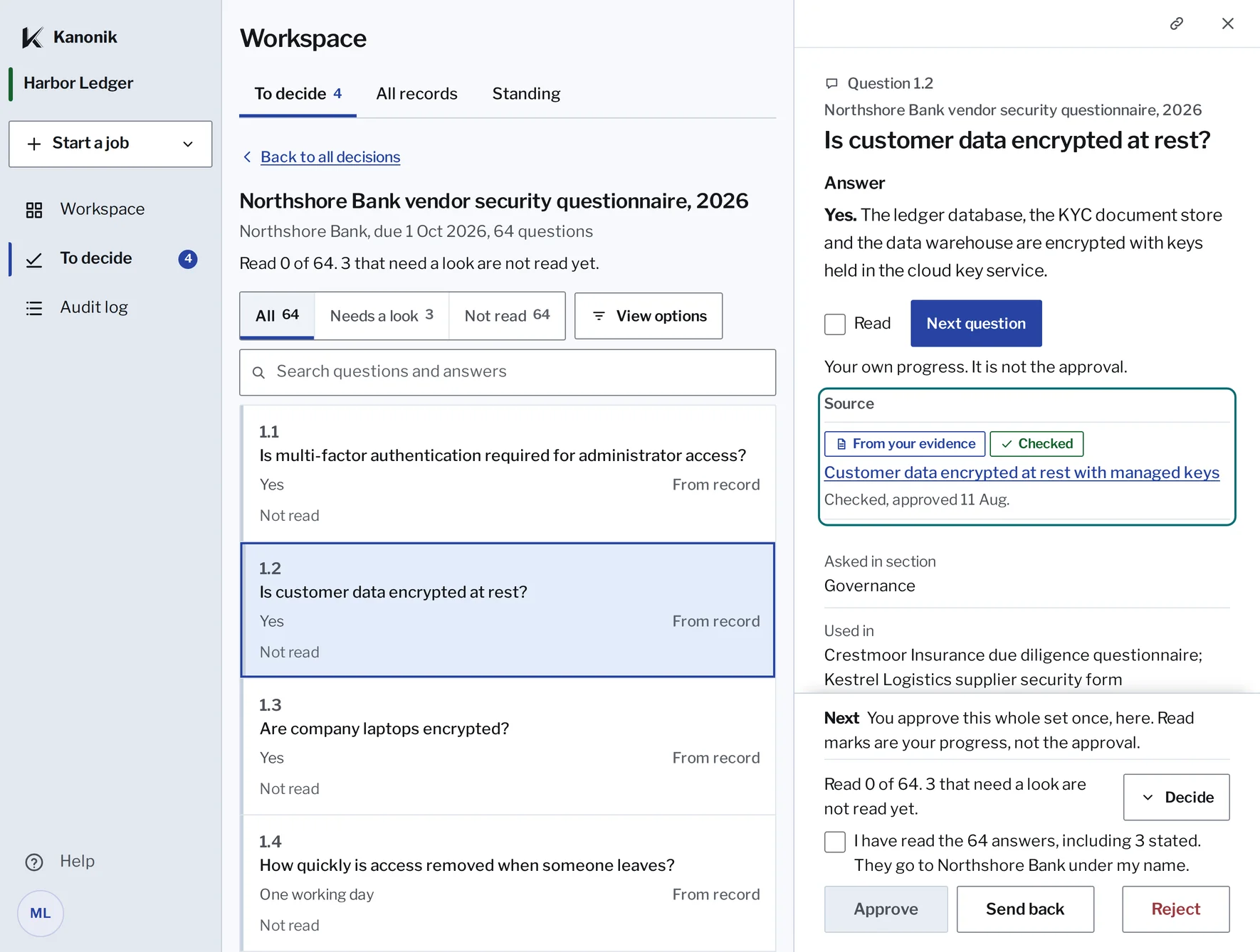
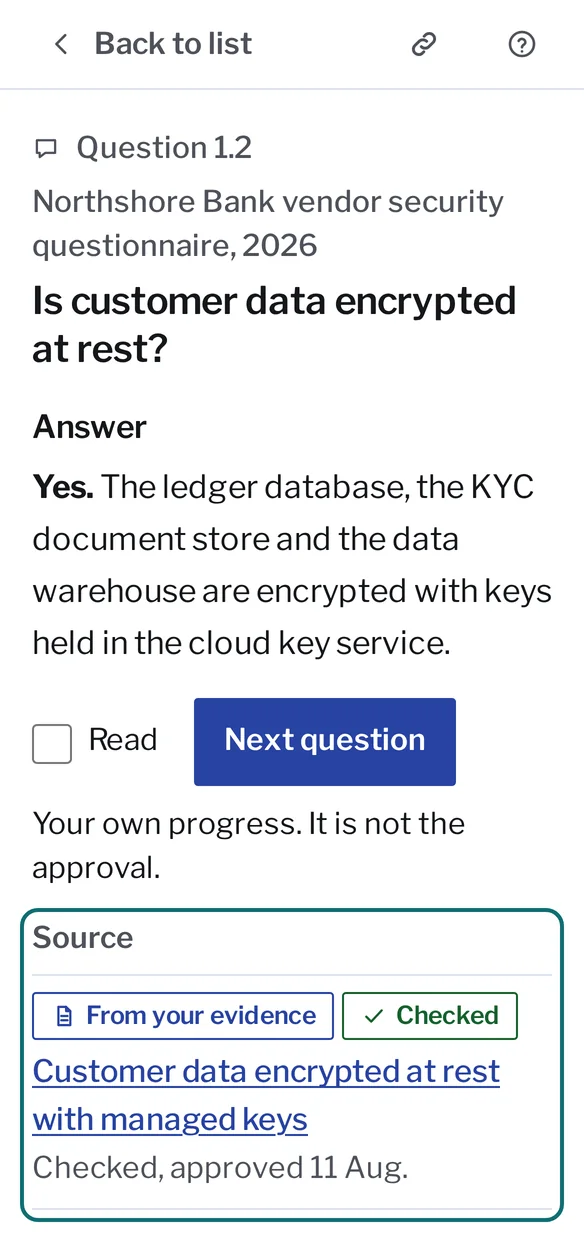
Each answer says where it comes from, and you approve the whole set once.
Foresight
Foresight checks a new vendor or a change against the promises you’ve made customers, before anyone signs. It reads the contract on your side, compares it with promises like keeping data in the EU or giving 30 days’ notice before a new sub-processor, and marks each one no conflict, conflict or needs information, with the reason.
Ask your record a question
Anyone on your team can ask their own AI a security question and get the approved answer, with who approved it and when. Everyone signs in as themselves and sees only what their role allows. When the Record has no answer, the AI says so instead of guessing. Approval requests can also reach you in Slack.
Ask the sample company a question
Answered from the Record, with who approved it and when.
Policy changes with every edit marked
Ask your AI for a change the way you’d ask a colleague, and every edit comes back marked, like tracked changes. The current policy stays as it is until the owner approves, and earlier versions stay on the Record, so you can always show what changed and who agreed.
The change comes back marked. The current policy stays until its owner approves.
Keep your registers current
Your AI proposes risks, assets and vendors from what it finds in your systems, each with an owner, and drafts the entry when you tell it about a new database. Accepting a risk is its owner’s decision, and once you have two approvers, a second has to confirm it.
Proof Snapshot
A Proof Snapshot is a signed copy of where your program stands today. Buyers, insurers, investors and boards check it at kanonik.ai/verify, with nothing uploaded. It’s free and unlimited, so send one with every deal.
Weekly summary and reports
Every number in the weekly summary is counted from your Record. The AI doesn’t estimate any of them. The recommended next step comes from fixed rules, with no AI model involved, and it changes only when your Record does. Ask your AI for a one-page board brief or a status chart, and it writes one from what your team approved without changing the Record.
Your team and your consultant
Every plan has unlimited users, so bring in engineering, sales and leadership. The admin invites people and sets each person’s role, each person works in their own assistant under their own name, and engineers open Kanonik only to approve what their AI sent. Consultants and fractional CISOs join free for any number of clients. You keep the workspace if you part ways, and you pay the same with or without them. If your consultant introduced you to us, we pay them a recurring share of what you pay, and you can see that arrangement.
If a buyer has sent you a questionnaire, start with that one.
You start with a card. No sales call, no setup project.