Kanonik is free for consultants and fractional CISOs, however many clients you work with.
The workspace belongs to your client. You work in it from one login, the same one you use for all your other clients.
You can be the named approver in your client’s workspace.
AI writes security policies now. You’ve probably wondered what that does to a consulting practice. It makes a good consultant worth more. Someone still has to decide what’s true about the company, and the auditor will want to know who.
In Kanonik, nothing an AI proposes goes on the record until a named person approves it.
Your client’s admin invites you and chooses your role. Say you’re building a client’s first program and they make you an Author. You connect your own AI to their workspace, and it drafts an access policy. You read it and send it back with a note, because it forgot the contractors. The next draft is right, so you accept it. Then someone at the client confirms it, and it’s recorded with both names and the date.
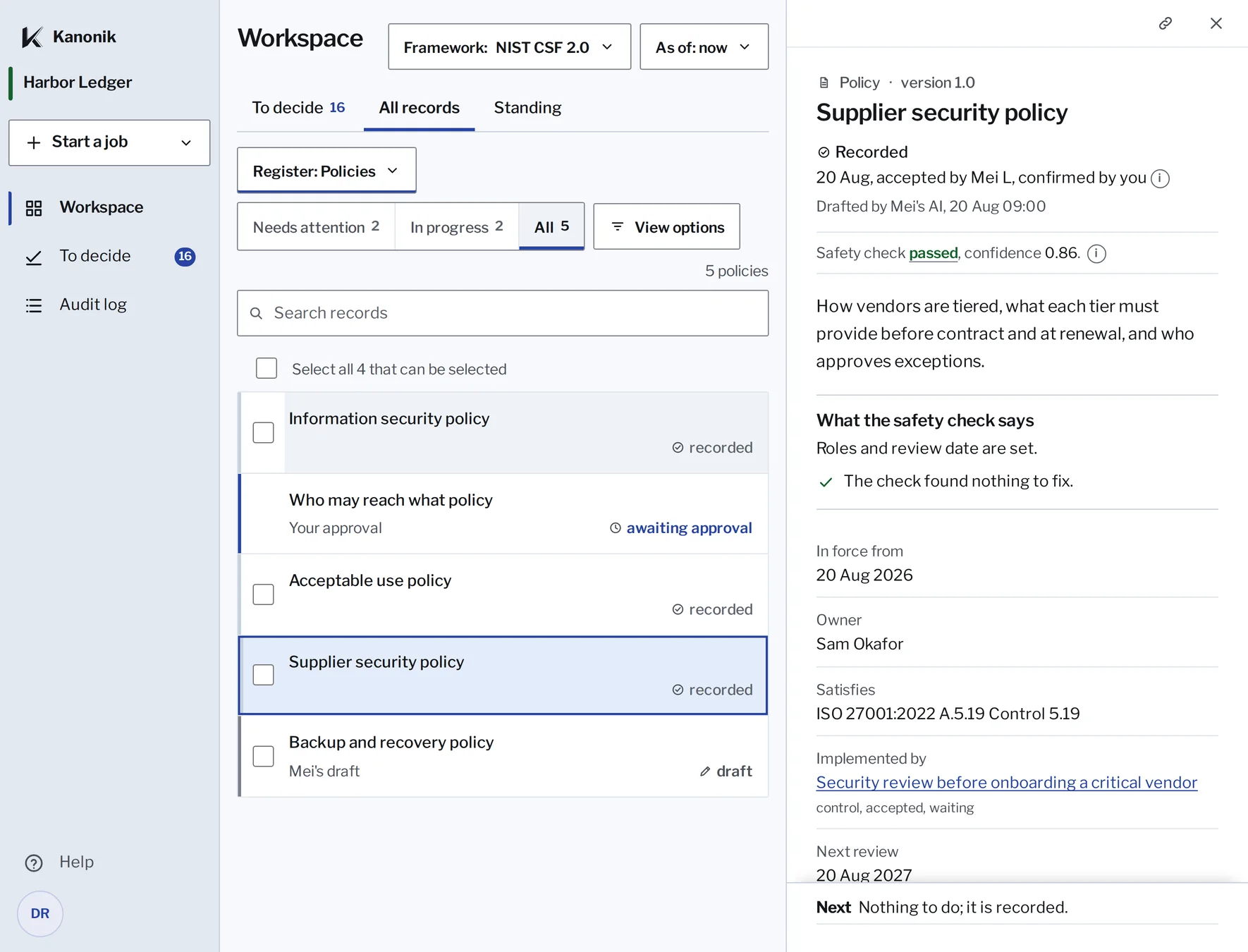
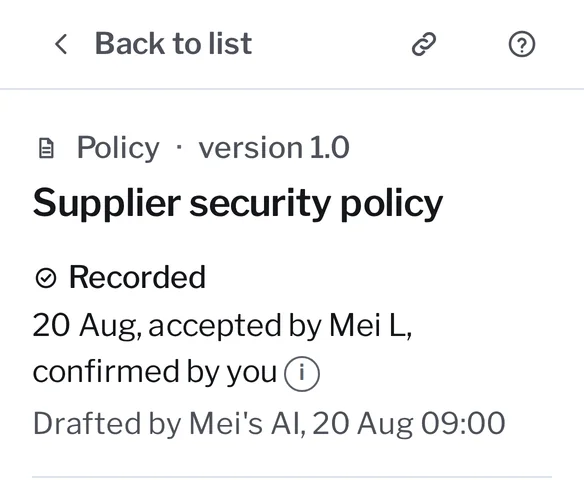
Both names on the record, with the date it was recorded.
All records in Kanonik, with sample data from Harbor Ledger.
If you’re their fractional CISO, they might make you a Reviewer instead. Then yours is the second name. You confirm the policies and controls that the client’s own people have accepted.
That record protects you as much as the client. Nobody can change it afterwards without the change showing.
Every approval link shows the client’s name at the top.
Suppose you look after eight clients. You sign in once, with your own account. The workspace menu lists every client who has invited you, and switching takes a click.
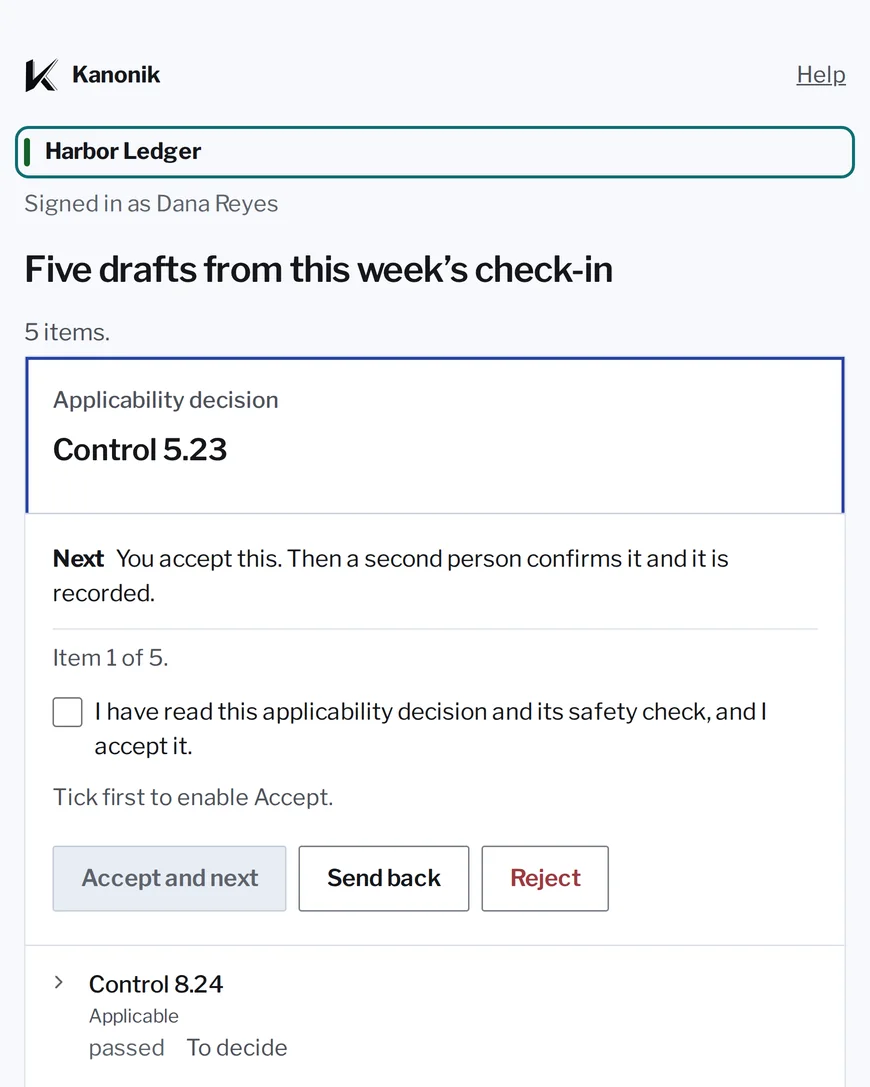
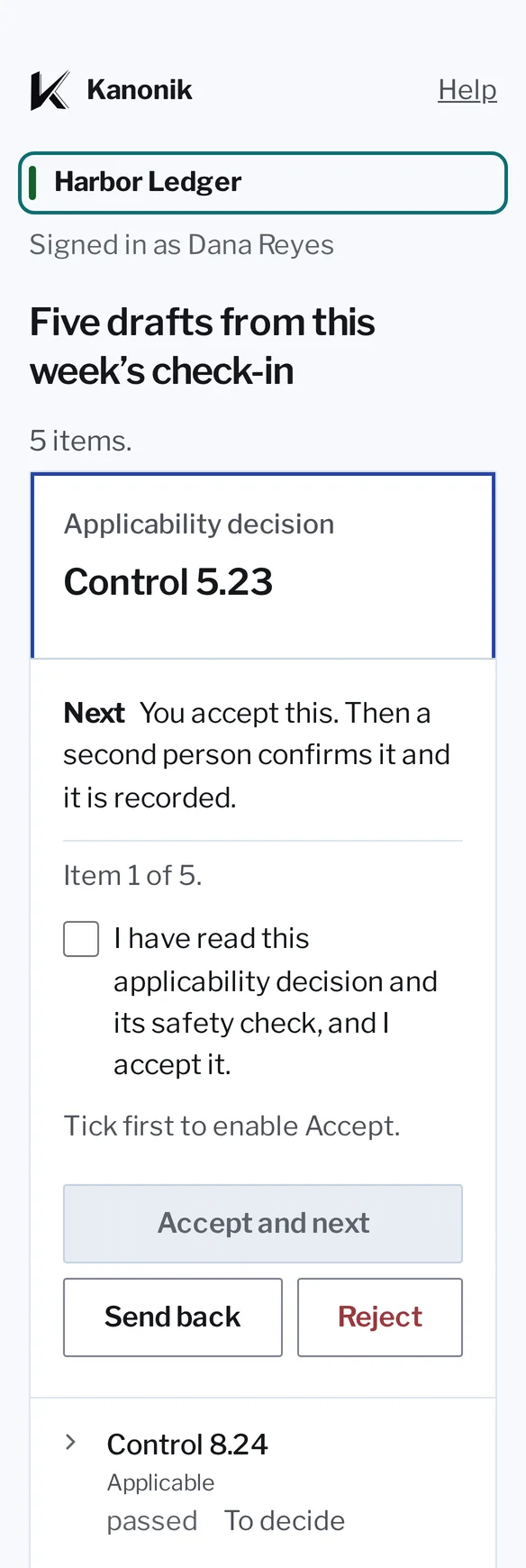
The client’s name comes first.
An approval link in Kanonik, with sample data from Harbor Ledger.
When you open an approval link, the client’s name is the first thing you see, before a single draft. We put it there because anyone who works across clients knows how easy it is to approve something into the wrong one at the end of a long day. Each client’s record stays in its own workspace, and Kanonik checks the workspace on every request.
Kanonik never connects to a client’s systems itself. An AI does that, so you might wonder whose AI it should be, yours or theirs. We suggest theirs, so you’re never the one holding a client’s keys. You sign in and review what it found. Your own AI can still draft their policies, because a policy needs no access to their systems.
Your client’s team can ask their own AI before they ask you.
You know how much of your month goes on questions a client has already answered somewhere. Who reviews admin access, and how often? Is there a disaster recovery plan?
With Kanonik, anyone at the client can ask their own AI. It answers from the record your client has approved. If the answer is in there, they don’t have to wait for your next call. If it isn’t, the AI says so instead of guessing.
Questionnaires work the same way. When a buyer sends your client a security questionnaire, their AI answers it from what’s already approved. Each answer is marked from the record, stated, or open. A stated answer is something your client has said but the record doesn’t back up yet. An open one has no answer at all.
Those last two are where you come in. We think that’s where a consultant earns the fee, because only someone who knows the company can close them.
A new client can sign up without talking to us.
Your client signs up online and starts with a 14-day trial. When an audit comes up, they move to Audit-Ready.
Every plan and what it costs is on our pricing page, so you can answer that question on your first call with a client.
- Starter
- A client’s first security questionnaire
- Audit-Ready
- Their first audit, one audited framework
- Enterprise
- Several frameworks, entities, products or auditors, or more than 200 people
We publish the rules we follow with every consultant.
- Kanonik
You don’t pay us anything for your seat in any client’s workspace.
A client’s program is better when the people who know security can see all of it. If we charged for each seat, those are the people a client would leave out.
- Your client
Your client owns the workspace and keeps it if you part ways.
They sign up and pay us directly. Everything in the workspace belongs to them. If you stop working together, their admin removes your access. The record stays exactly as it was, with your approvals still under your name, and nothing has to be exported or handed over. Nothing in Kanonik ties a client to a particular consultant.
- Your client
Your client pays the same price with or without you.
Your share comes out of what we earn. It’s never added to your client’s bill, and your client sees the arrangement. A recommendation is only worth something when the client knows the person making it gets paid for it.
- You
You earn a recurring share of what your clients pay us.
Each time a client you brought to us pays, part of that payment goes to you, for as long as your partner terms say. We’d rather pay the people who keep our customers’ programs in good shape than spend that money on advertising.
- Kanonik
No money goes to audit firms.
We never pay a share to an audit firm or through one, and no audit firm pays us. If we pay you a share for a client, you can’t also be that client’s auditor. The auditor has to be independent of both of us, or the report isn’t worth much to the buyer who reads it.
We’d like to hear about your practice.
You’ll want the numbers before you introduce anyone. We don’t publish the percentages or how long the share runs. We go through them with you on a call, then send them to you in our partner terms.
Send us your listing and a short proposal. It’s free. Your listing is a few lines about your practice, such as the kind of companies you work with and the frameworks you take them through. The proposal is how you’d like to work with us, and a paragraph is plenty. We read every one before we call you back. We reply within two working days.