When your client keeps its compliance record in Kanonik, you can check that record yourself.
Kanonik is security compliance software. Nothing your client’s AI drafts goes on their record until a named person on their team approves it, and nobody can change the record afterwards without the change showing.
You can test both of those without asking us.
No money passes between Kanonik and any audit firm, in either direction.
That rules out referral fees, listing fees, revenue shares and credits, and it covers payments through a third party too. Your client pays you under your own engagement letter and pays us separately for the software.
We think that’s the cleanest arrangement for an auditor. When a software vendor and an audit firm have a deal, someone reading the report has to ask whose interests it served.
Consultants are different. We pay a consultant a share when they bring us a client. That share never goes to or through an audit firm, or to anyone who audits that client.
The audit stays in your hands. We never limit the evidence you ask for or how you work with your client, and your firm makes its own independence call before it takes a client on.
You get a free read-only seat for the length of the engagement.
On Audit-Ready and Enterprise, your client invites you into their workspace as an auditor. Kanonik won’t send that invitation without an end date and a reason. Both go on the client’s record, with the name of the person who invited you. When the end date passes, your access stops, and the record notes that the engagement ended. Nobody has to remember to remove you.
You read the approved record: the client’s policies, controls, risks and evidence, the Statement of Applicability, and the history of each one, with the results of Kanonik’s checks. You can’t propose, edit or approve anything in their program, and their billing stays out of your view.
You should know that when you open a record or read its history, the client’s record notes who read it and when.
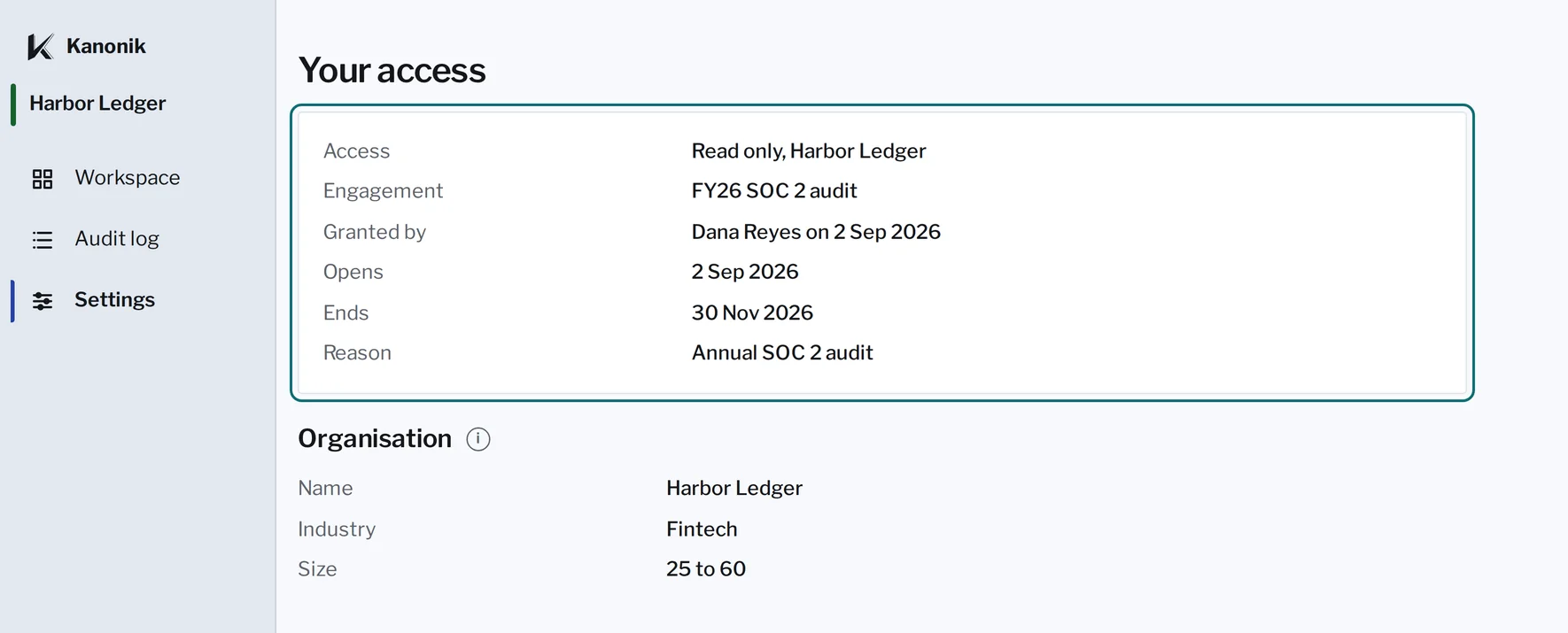
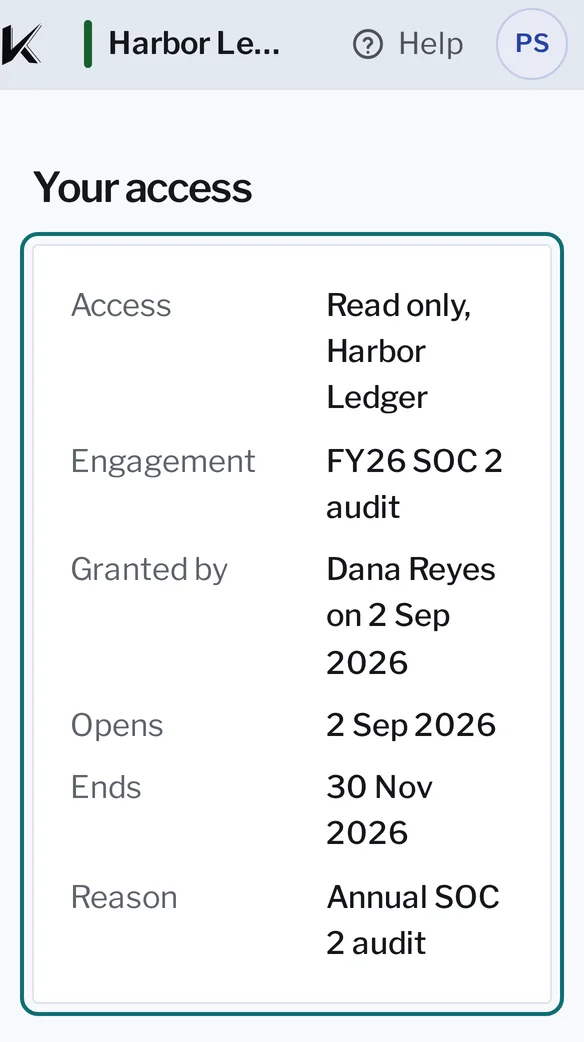
Who invited you, the day your access ends, and the reason, as the client set them.
Settings in Kanonik, as an auditor sees them, with sample data from Harbor Ledger.
An audit goes better when you and the client’s team are looking at the same record.
Each piece of evidence names the person who approved it.
When a client’s AI drafts their records, the first thing you’ll want to know is who stands behind each one. Take last quarter’s access review. Open it and you’ll see the person who approved it, and the date. It says when the review was collected, what kind of artifact it is and which controls it supports. Where the client gave one, it also names the system the file came from.
Who prepared it? The client’s AI, working for a named person. You’ll also see the result of Kanonik’s rules check, where the record has one. And the file’s SHA-256 fingerprint, as the client’s AI reported it, is on the record, so if anyone swaps the file later, it won’t match.
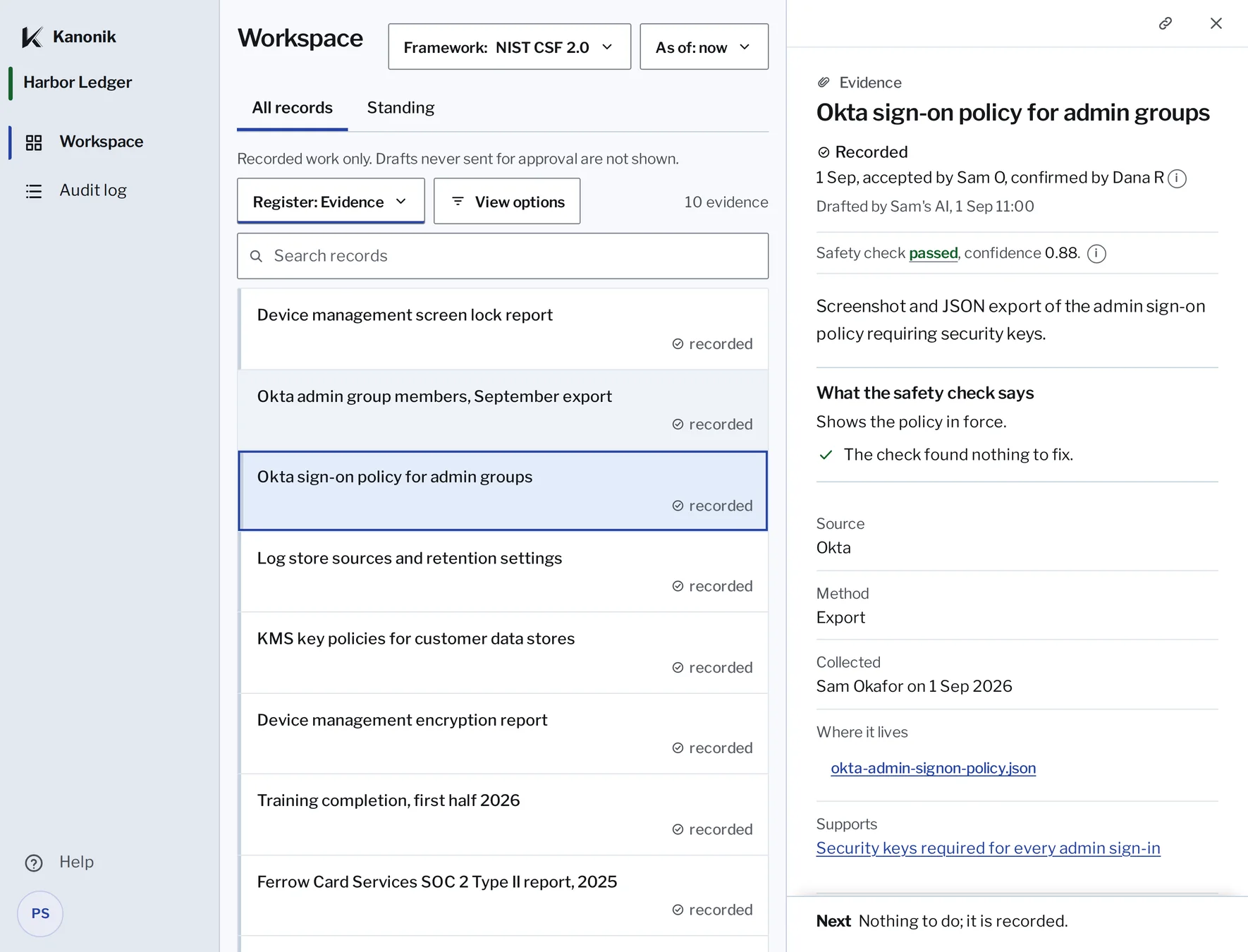
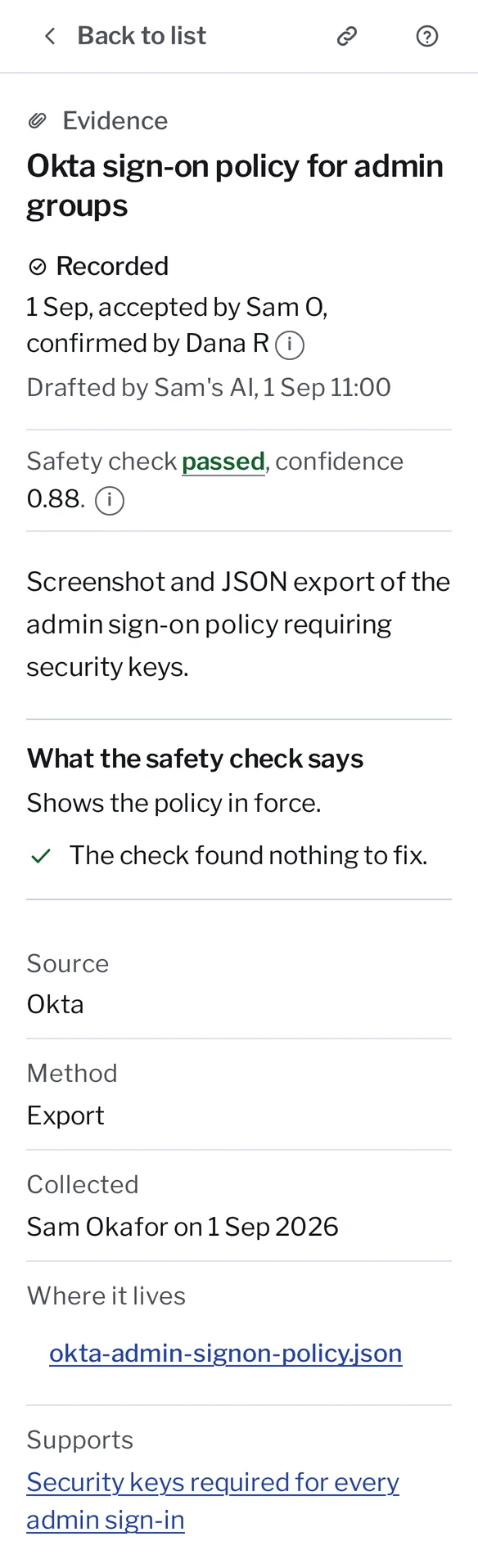
Approved by a named person, with the date.
All records in Kanonik, as an auditor sees them, with sample data from Harbor Ledger.
The system name is the one the client gave. Kanonik never connects to that system.
Provenance belongs on the evidence itself, with a person’s name on it. You shouldn’t have to email the client to find out who’s responsible for a screenshot.
The Sealed Audit Package carries its own checker, and it works offline.
You do not need to trust Kanonik to verify this bundle.Bundle verification: Passed with notes[ok ] hash_chain_integrity[ok ] chain_completeness[warn] chain_root_signaturesigned with the Kanonik public sample key: synthetic data, not a customer record[ok ] verifier_verdict_presence[ok ] sod_separation_of_duties[ok ] two_act_oversight[ok ] member_attestation[ok ] skill_provenance[ok ] reproducibility_tuple_completeness[ok ] prompt_integrity[ok ] file_checksumsverify.py checking Kanonik’s sample package offline. The sample is made-up data.
At the end of the period you get one Sealed Audit Package. It holds the client’s record and every approval up to the day it was sealed, a report to read first, and the checker in three forms: verify.html for a browser, verify.py for Python and verify.mjs for Node. None of them needs a network connection. The Python one does need a library, called cryptography, for the signature step. The browser one needs nothing.
Run it, and it starts with the hash chain. It recomputes every link and checks Kanonik’s signature on the chain. Then it compares each file with the fingerprint taken when the package was sealed.
After that it looks at the approvals. It makes sure each approved change carries the result of Kanonik’s checks, unless it’s the kind of record a person decides alone, like a piece of evidence. If someone approved a change over a failed check, there has to be an override on the record with a reason, or the checker fails it. And if one person both proposed and approved something, the checker counts it and looks on the record for the reason one person was allowed to.
Some of Kanonik’s checks use an AI model. For each of those, the record keeps the model, the prompt version and a fingerprint of the inputs, and the checker confirms the prompt is one Kanonik released.
You get one line per check, saying what it found. And if you’d rather not take our word for what the checker does, read it first. Its source code is in the package.
You should be able to test a record for tampering yourself, the same way you test everything else in an audit. A clean result means the record is intact and the approvals are in order. Whether the controls actually work is still yours to judge.
You draw your sample from a spreadsheet that comes inside the package.
We’ll use a SOC 2 Type II as the example. An ISO 27001 or HIPAA engagement works the same way on Kanonik.
A Type II covers a period of months, and before you can sample it you need the population. A Sealed Audit Package includes a file called records.csv. It has a row for each version of each record and a row for each approval, with the date it was sealed, who proposed it, who approved it, how it was approved and what Kanonik’s check said. Where one person both proposed and approved something, the row says so.
The file starts at the beginning of the client’s record, so filter the “Sealed at” column to the dates you’re testing. Then draw your sample the way you always have.
Next, test what you drew. Each row gives the record’s code, so you can find it in the client’s workspace and read its history. Say you need the program as it stood on the last day of the first quarter. Pick that date, and the workspace shows the record as it applied that day. You’ll probably ask about corrections the client made later and backdated. Switch the view to “As we had it on record” and you see only what was on the record by that date, with those corrections left out.
Nothing in Kanonik picks your sample for you. Choosing it is part of your judgment, and software should stay out of that.
When you raise a finding, the record shows it came from you.
You can send your findings to the client in your report, and they record each one in the workspace as communicated by you, on the date you sent it. Or you can record findings yourself, from an AI assistant connected to the client’s workspace. A finding goes on the record once someone on the client’s team approves it, and the client can then name the people who own the fix.
Even if someone at the client typed it in, the finding is yours.
If you audit security programs, we’d like to talk to you.
Send us your firm’s details: your license or accreditation and the frameworks you audit. Applying is free. We check your license or accreditation against the public register, and then we call you. We reply within two working days.
Before we name a firm anywhere, it signs a one-page letter confirming no money changes hands.
Mostly we want to know what you’d need to see in a client’s record before you’d rely on it, and only an auditor can tell us that.