
Compliance you can actually prove.
Kanonik makes your AI a compliance expert and checks every draft before you see it. Only what a named person approves goes into a Record anyone can verify.
You might be the whole security team, or one expert among many. It works either way.
Use your 14-day trial to draft your security policies and see where you stand on NIST CSF 2.0 and GDPR, both included. Then make real headway on SOC 2 or ISO 27001, answer a customer’s security questionnaire, or send proof to anyone. You’ll need a card to start. There’s no sales call, and nothing to set up.
Customers want proof before they sign
A founder gets the first security questionnaire with the first big customer. A security team gets one every week. Any AI can write the paperwork now, so buyers, auditors and insurers ask something harder.
- Who approved this?
- And when?
- Can they check it without taking your word for it?
The Record holds every security fact you’ve approved
Think of it as a bank statement for your security program. Every line has a date, a source and a named approver, and nobody quietly deletes one. Your policies, controls, risks, vendors, evidence and every answer you’ve given a customer live here, and everything Kanonik does runs on it.
Try to rewrite history
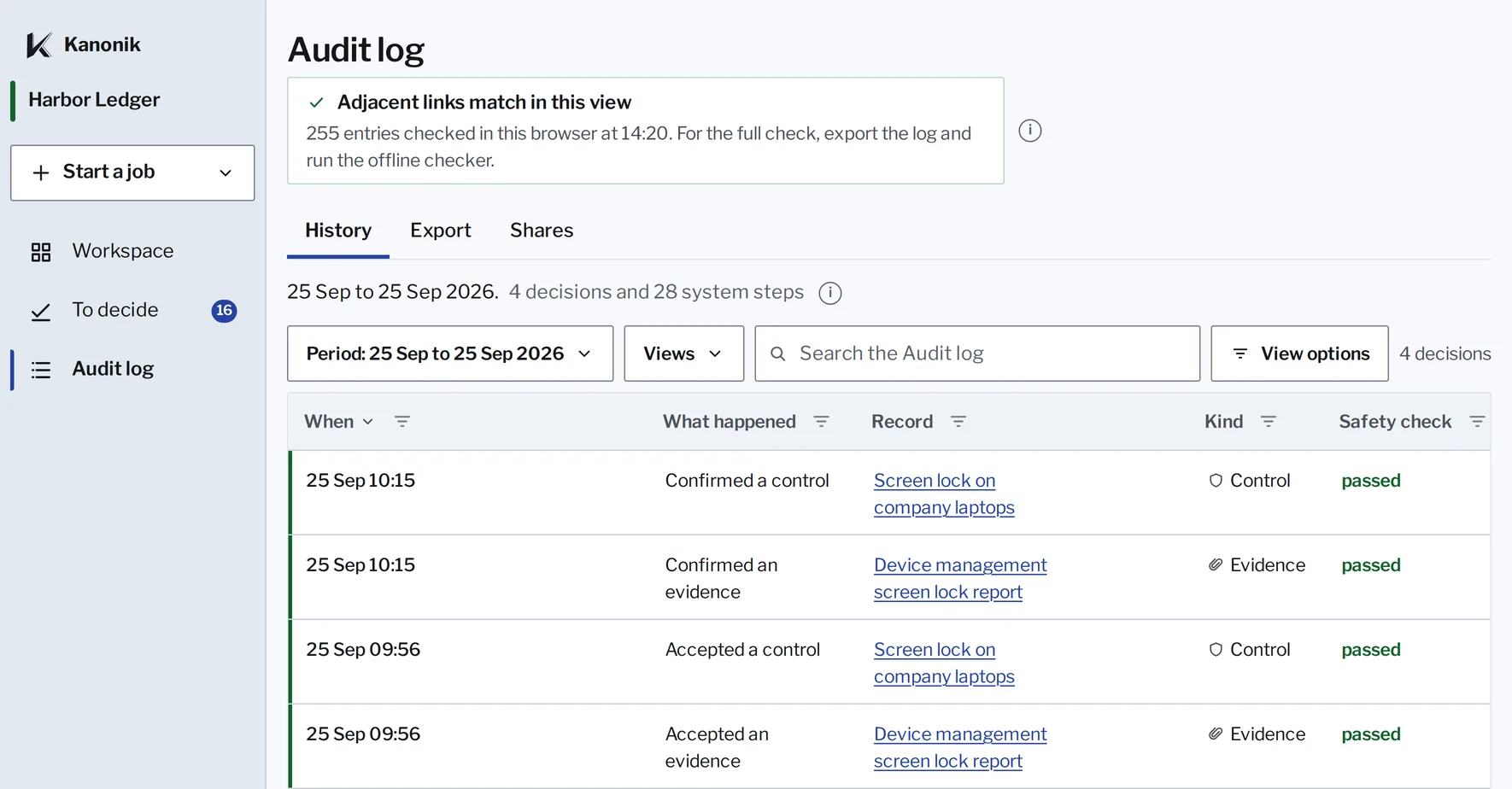
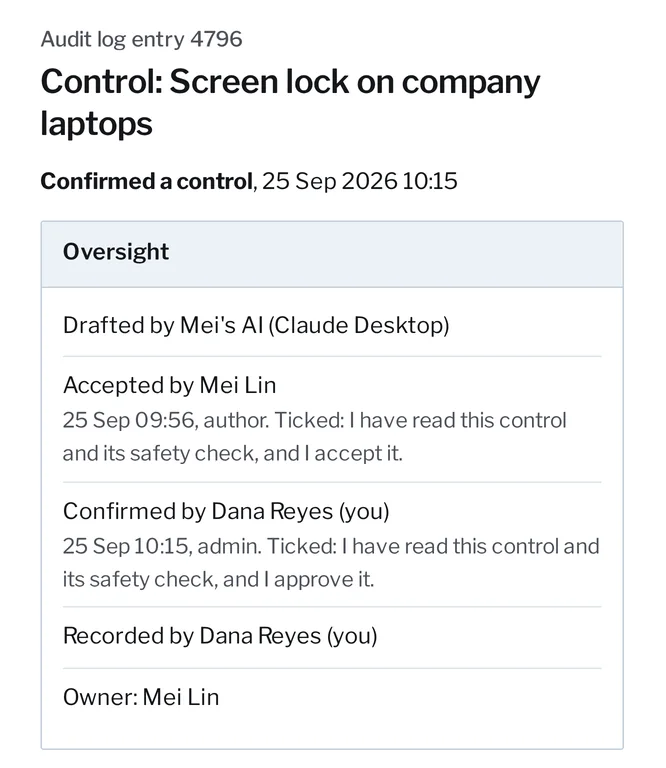
Kanonik’s Audit log won’t let anyone edit an entry. Suppose someone got past that, or edited an exported copy before it reached your auditor. Pick a change and try to get away with it.
Change entry 4764
Then cover it up
Entry 4761
Accepted a risk
Card processor outage stops outgoing payments
Mei Lin, 24 Sep 2026 16:10
Safety check passed
- Previous
- 04928cbb...9d85
- Hash
- 6fa0ef32...4042
Entry 4764
Accepted a control
Security review before onboarding a critical vendor
Mei Lin, 24 Sep 2026 16:10
Safety check passed
- Previous
- 6fa0ef32...4042
- Hash
- 76c347e7...8260
Entry 4786
Accepted a control
Screen lock on company laptops
Mei Lin, 25 Sep 2026 09:56
Safety check passed
- Previous
- 76c347e7...8260
- Hash
- 089acc36...8c17
Entry 4789
Accepted an evidence
Device management screen lock report
Mei Lin, 25 Sep 2026 09:56
Safety check passed
- Previous
- 089acc36...8c17
- Hash
- db970428...a9da
Entry 4796
Confirmed a control
Screen lock on company laptops
Dana Reyes, 25 Sep 2026 10:15
Safety check passed
- Previous
- db970428...a9da
- Hash
- 7dd1e97f...cb53
Entry 4799
Confirmed an evidence
Device management screen lock report
Dana Reyes, 25 Sep 2026 10:15
Safety check passed
- Previous
- 7dd1e97f...cb53
- Hash
- 2d038bf2...0aaa
Chain head
Signed by Kanonik, ECDSA P-384, 25 Sep 2026 10:20
- Points at
- 2d038bf2...0aaa
- Signature
- matches
The offline checker, run on this copy
PassedEvery check below passed.
passThe record has not been alteredhash_chain_integrity
verified 6 events; all hashes + chain links match
passThe record is signed, and the signature matcheschain_root_signature
ECDSA P-384 + SHA-384 signature verified
Hashes are real SHA-256, worked out in your browser from each entry’s fields and the hash before it. The checks and their words are the offline checker’s own, the one in every Sealed Audit Package. Simplified on purpose: the real chain also links the system steps between these six decisions.
How it stays honest
Three checks on every draft your AI makes
The Verifier checks it first
The Verifier, Kanonik’s checker, tests every draft against your framework’s requirements as it’s written and explains its verdict.
Try it yourself: three rounds with the VerifierA named person owns it
Kanonik’s server refuses to record anything until a named person on your team approves it, whichever AI is asking.
Try it yourself: skip the approvalProof that doesn’t depend on us
Approved entries are sealed and chained, so any change shows, and an auditor or buyer can check them offline without a Kanonik account.
Try it yourself: check a proofYour first session
Watch what happens when you connect your AI.
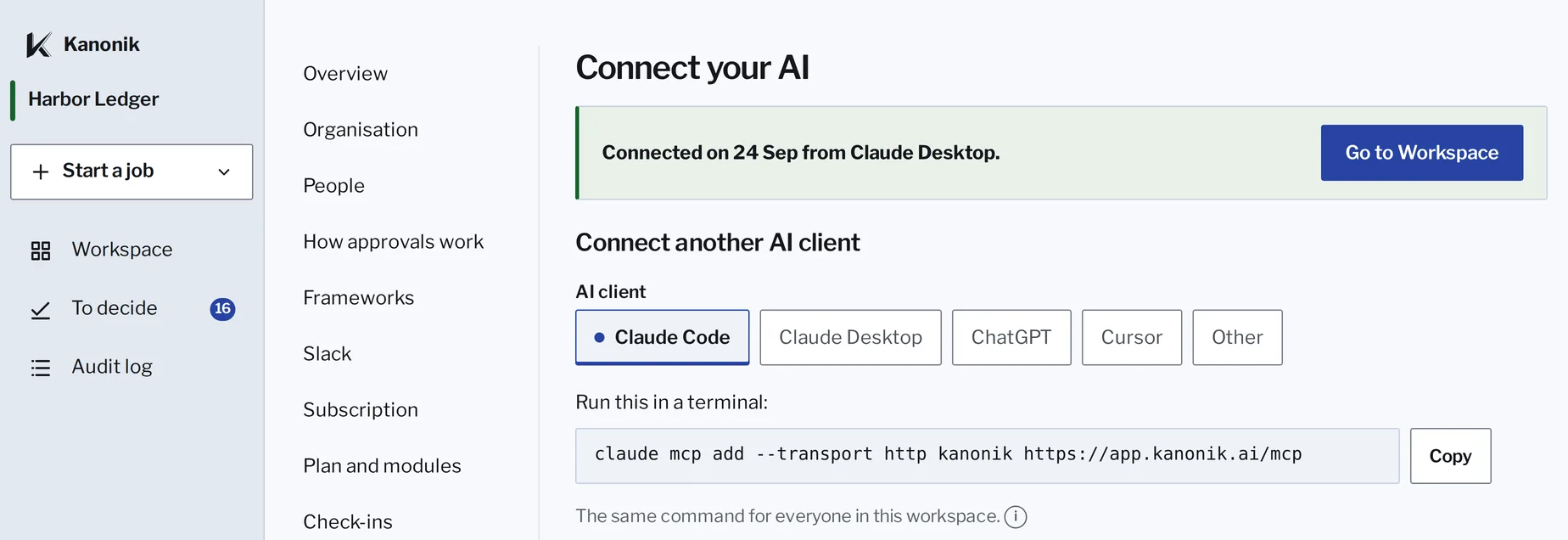
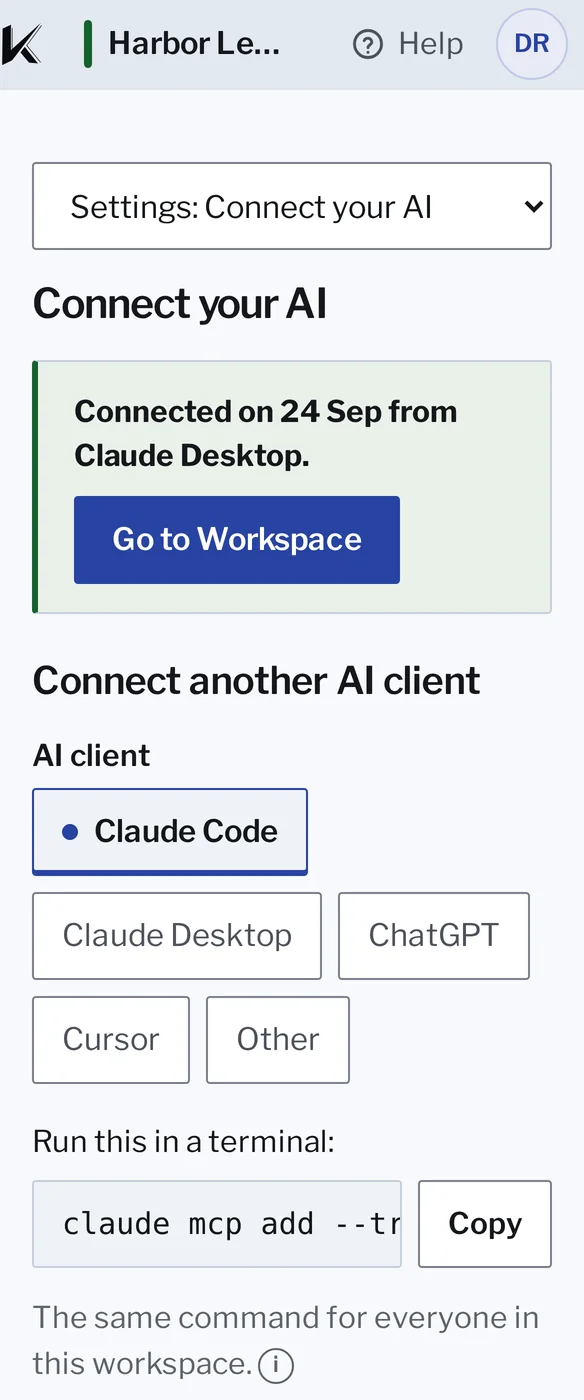
Connect your AI. It reads your cloud account, your code and your Google Workspace through its own connections, and drafts your baseline from what it finds.


The screens are Kanonik’s own, running on sample data for Harbor Ledger, a company we made up.
You get one link for a whole batch, and you work through it like an inbox.
Accept a draft or send it back with a note in your own words, and your AI revises it and it comes round again, checked again. Nothing goes into the Record until a named person accepts it.
What you can do with the Record
Answer the people who ask
Answer every security questionnaire
Answers come from what your team already approved, each with its source, and gaps are flagged.
Try it yourself: the questionnaire workbookAsk your record a question
Anyone on your team can ask their own AI and get the approved answer, with who approved it and when.
Send proof to buyers and auditors
A Proof Snapshot gives any buyer a free, signed view of where you stand, and your auditor gets one Sealed Audit Package.
Run your program
Prepare for audits on 17 frameworks, with more every week
Standing, your live view of each framework, shows what’s covered on any date, and a weekly summary shows what moved.
Try it yourself: one control, three frameworksKeep your registers current
Your AI proposes risks, assets and vendors from what it finds in your systems, each with an owner.
Check a vendor before you sign
Foresight compares a new vendor’s contract with the promises you’ve made customers and shows each conflict.
Try it yourself: the clause that breaks a promise
Work as a team
Get approval requests in Slack
Kanonik can tell a channel or the approver that a request is waiting. The decision itself is made in Kanonik.
Change a policy by asking your AI
Every edit comes back marked, like tracked changes, for its owner to approve.
Bring in everyone you work with
Users are unlimited, consultants and auditors are free, and Enterprise can run privately in your own cloud.
See it work
- You ask: Answer the Kestrel Logistics security questionnaire from what we’ve already approved. Kanonik: All 64 are answered, 61 of them from your approved record. The other 3 are answers you gave yourself, with nothing in the record behind them. I’ve flagged them for a look.
- You ask: Update our access control policy: quarterly access reviews and hardware keys for admins. Kanonik: Version 2.0 is drafted, with every change from version 1.2 marked. It passed my checks and isn’t in your record until you approve it.
- You ask: Get the SOC 2 audit package ready for our auditor. Kanonik: It covers SOC 2 for the period you set and shows who approved each decision. Your auditor can verify it offline, on their own computer.
- You ask: If we move database backups to Brookvale, does that break anything we’ve promised? Kanonik: Two of the promises you’ve made to customers would break. A third needs one more detail before I can judge it.
Ask your AI in plain words.
You’ll see what it made in Kanonik before anything is recorded.
Pick a job and watch the chat handle it.


Kanonik’s screens, with sample data.
Get ready for your audit.
Here’s how a SOC 2 audit runs in Kanonik. ISO 27001 and HIPAA run the same way.
- Your AI
Turn on SOC 2.
The AI drafts the program from what it found, with the evidence attached. You go through it and approve it piece by piece.
- You
See what’s left.
The Standing table marks each criterion covered, partly covered or open. Close the open ones first, then the partly covered ones.
- You and your auditor
Agree the period with your auditor.
A Type II report covers a period of months. Every piece of evidence carries the date it was recorded, so nobody argues later about what was in place in March.
- Your auditor
Hand over one package.
Your auditor checks the Sealed Audit Package the same way you can. One sealed package is easier on everyone than a shared folder full of screenshots.
Try it yourself: the record as of any date
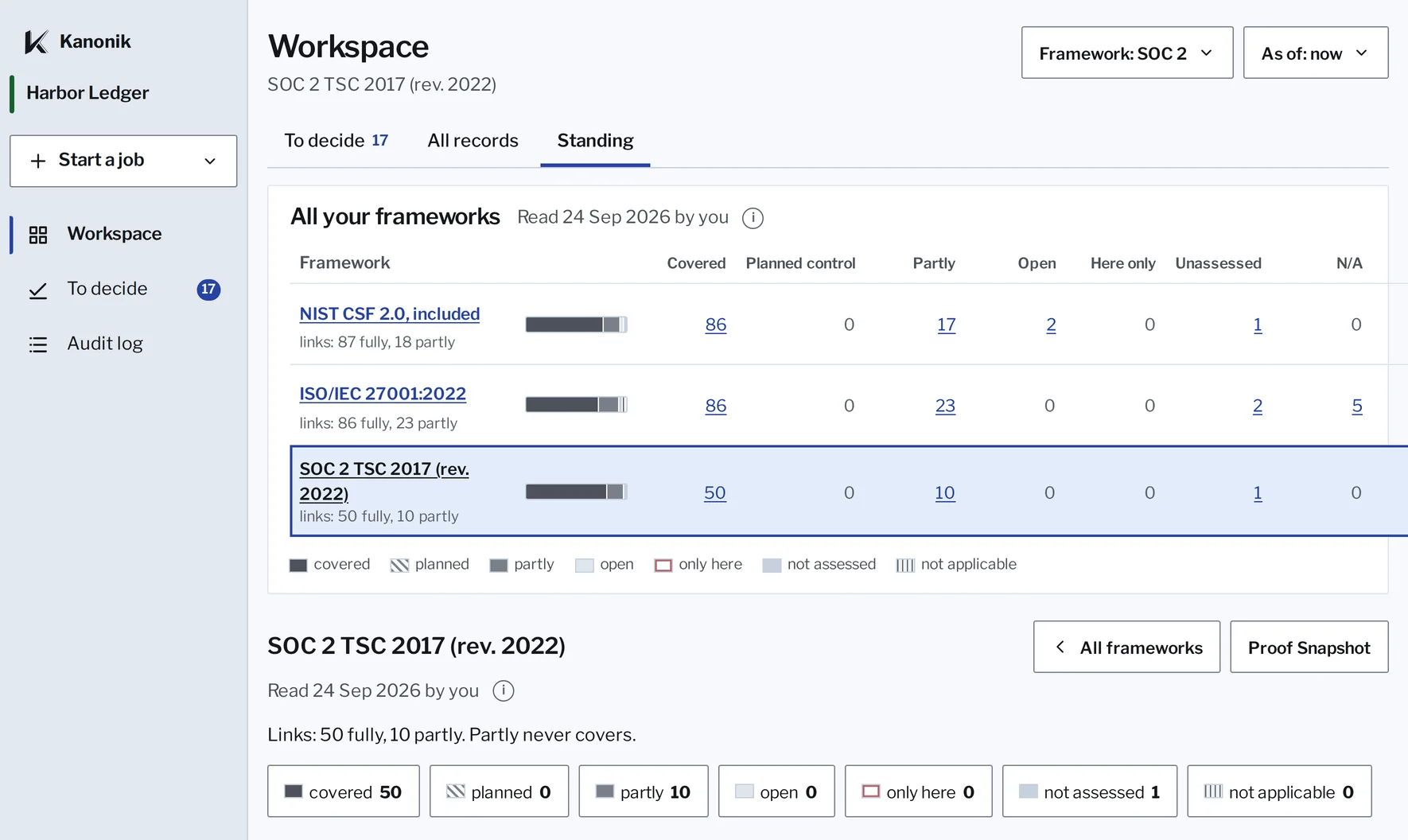
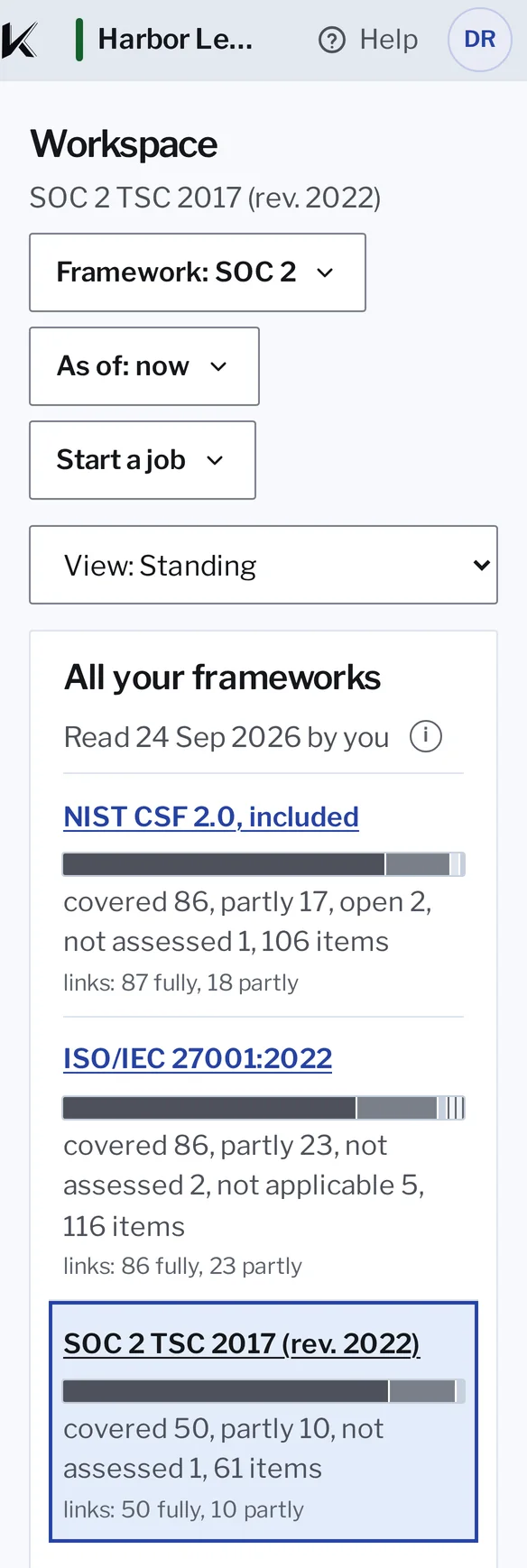
SOC 2: 50 of 61 criteria covered.
Standing in Kanonik, with sample data from Harbor Ledger.
Bring your own AI
We had no old product to carry, so we built Kanonik around AI from the start. Every time the frontier models get better, Kanonik gets better with them.
- Use Claude, ChatGPT or whichever model is best the day it ships, with no lock-in.
- Run on the AI your company has already approved and governs. We charge no AI fees.
- We build on frontier models instead of trying to compete with them.
- Kanonik needs no way into your network and holds none of your credentials. There are no connectors of ours to maintain or secure, because your AI uses its own.
We build Kanonik to NIST SP 800-53, the control set FedRAMP is built on.
We’ve followed that standard since the first commit.
- Security design
- NIST SP 800-53
- Audit log
- Append-only
- Approved changes
- Signed hash chain
- Container images
- Signed; SBOM per build
- Between application services
- Mutual TLS
- Platform
- Infrastructure as code, GitOps
- Enterprise deployment
- Your cloud account or data center
- Your data
- Where your data goes
Your team
Built for one person or a whole team
Perhaps you’re the whole security team
That’s fine. You approve your own work, and the Record notes there was nobody else to ask.
Or you have a team of experts
With many experts, each person owns their part, and policies and controls wait for a second approver.
The questionnaire on your desk is a good place to start
Next year someone will ask who approved your security program. Answer with a name and a date they can check.