Your team does its compliance work in the AI assistant it already uses.
Kanonik connects to any assistant that supports MCP, the standard these assistants use to work with other software. Claude and ChatGPT both do.
People just ask, in plain words.
Follow one request from Dana’s chat to Harbor Ledger’s record.
Dana Reyes runs security at Harbor Ledger, our sample company, and works in Claude Desktop. Sam Okafor, a reviewer there, prefers ChatGPT.
- Dana
She connects once.
She adds Harbor Ledger’s workspace link to Claude Desktop as a custom connector and signs in with her own Kanonik account. Kanonik’s skills load over that connection, so her assistant already knows how a risk or a control should be written. There’s nothing to install.
- Dana
She asks the way she’d ask a colleague.
“Draft a risk for admin accounts that stay open after people leave, and the controls that treat it.” The assistant reads Harbor Ledger’s record through Kanonik first, so it starts from what the company already has.
- Dana’s AI
It looks at the cloud account and the code itself.
For the cloud account and the code, the assistant uses its own connections, with whatever read access Harbor Ledger gave it.
- Kanonik
The drafts wait in To decide.
Kanonik checks the risk and both controls, then puts them in one approval request with Dana’s name on it.
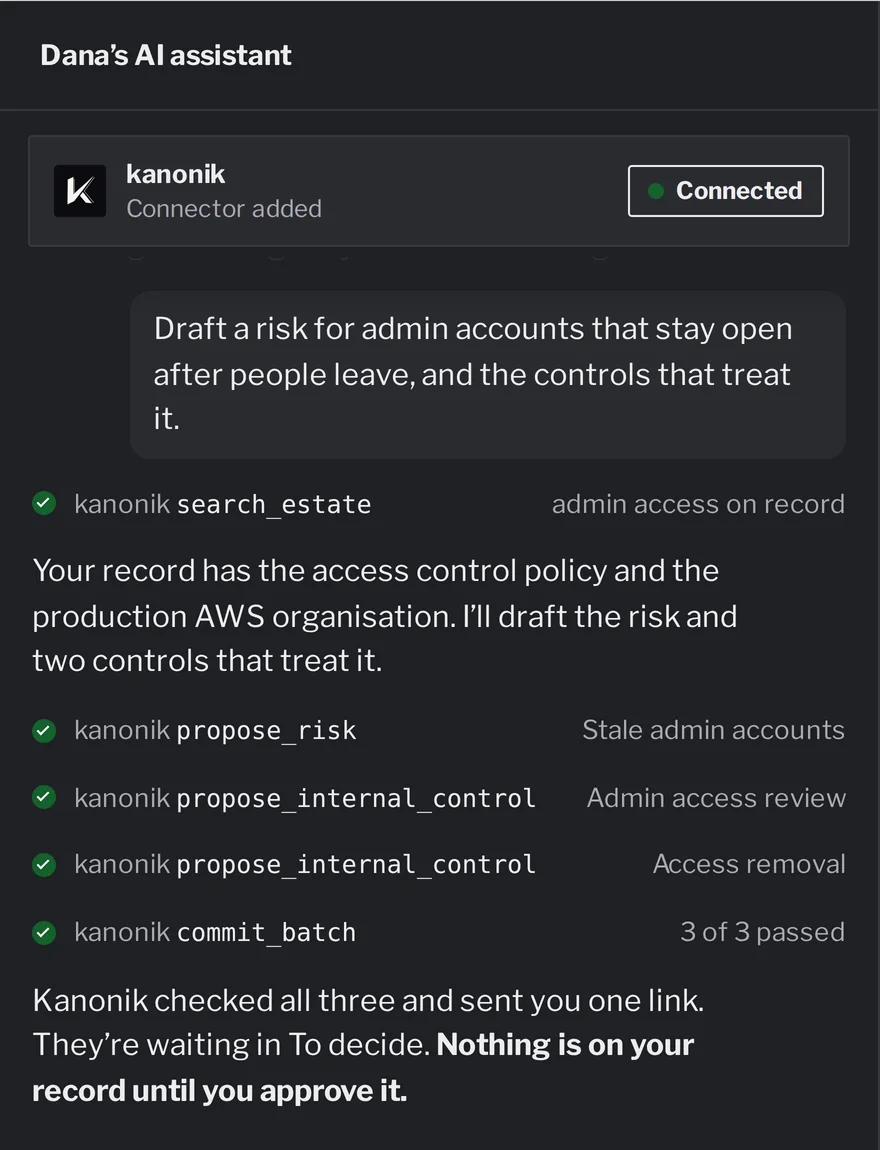
Dana’s request, the three drafts her AI sent to Kanonik, and the link that comes back.
Dana’s three drafts, checked and waiting for her in To decide.
An assistant beside Kanonik’s To decide list, with sample data from Harbor Ledger. It plays once; then it’s yours to click through.
Your IT team decides what your assistant can read.
Before anyone connects, someone in IT will want to know what the AI can reach. Each Kanonik skill comes with a written list of exactly that.
On Kanonik’s side, the list is short: permission to read your record and to send drafts for approval. On your side, it names the read-only access the assistant may need in its own tools, such as a read-only role in your cloud account. Your IT team grants that to the assistant directly, and takes it back the same way.
Kanonik receives what the assistant proposes to write. It holds no password or key to your cloud account or your code.